Wireshark
Wireshark is a free and open-source packet analyzer. It is used for network troubleshooting, analysis, software and communications protocol development, and education. Originally named Ethereal, the project was renamed Wireshark in May 2006 due to trademark issues.[6] Wireshark is cross-platform, using the Qt widget toolkit in current releases to implement its user interface, and using pcap to capture packets; it runs on Linux, macOS, BSD, Solaris, some other Unix-like operating systems, and Microsoft Windows. There is also a terminal-based (non-GUI) version called TShark. Wireshark, and the other programs distributed with it such as TShark, are free software, released under the terms of the GNU General Public License version 2 or any later version. https://www.wireshark.org/
Wireshark filters - overview
Wireshark Cheat Sheet – Commands, Captures, Filters & Shortcuts
 Wireshark is an essential tool for network administrators, but very few of them get to unleash its full potential. Having all the commands and useful features in the one place is bound to boost productivity. So we put together a power-packed Wireshark Cheat Sheet. You can download it for free as a PDF or JPG.
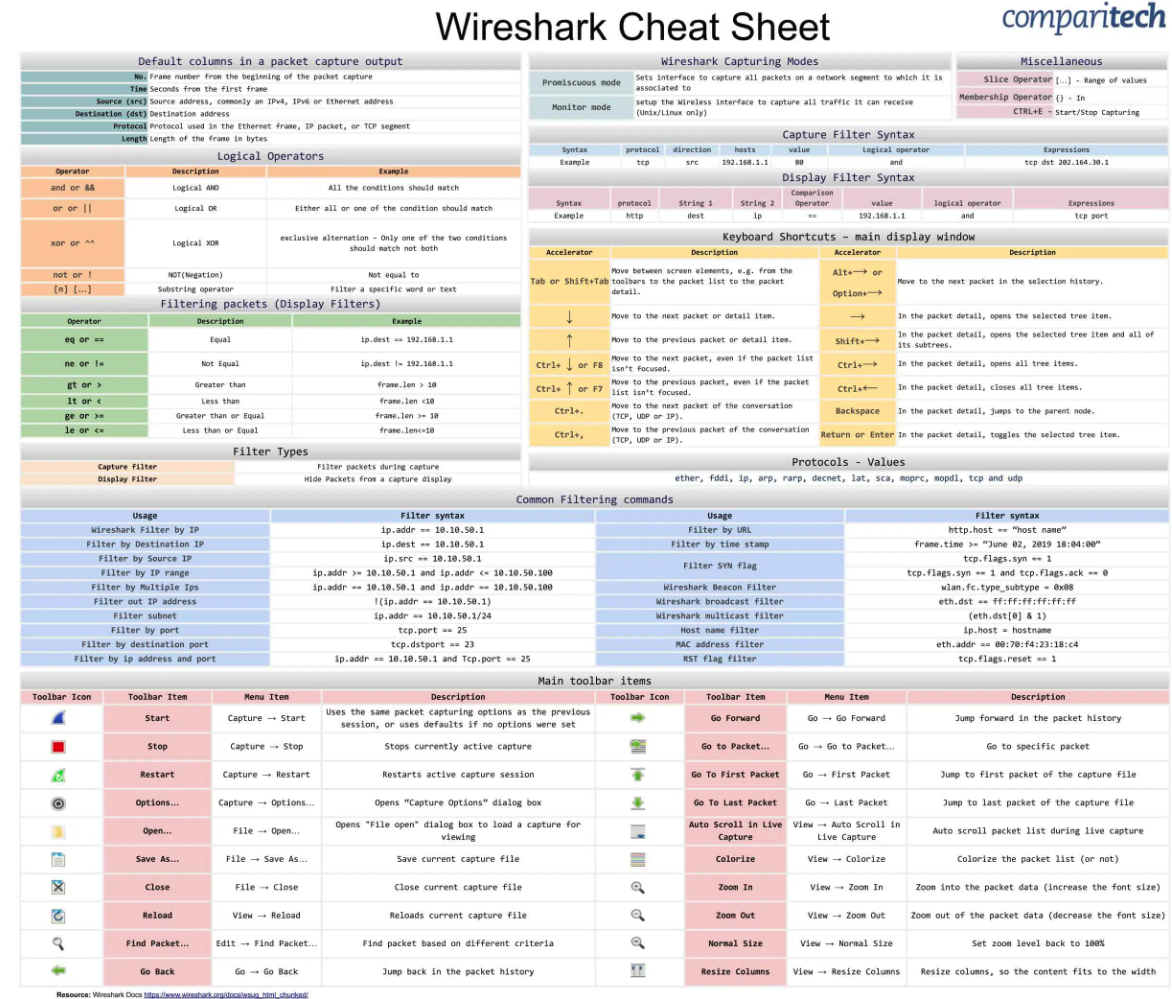
Wireshark Capturing Modes
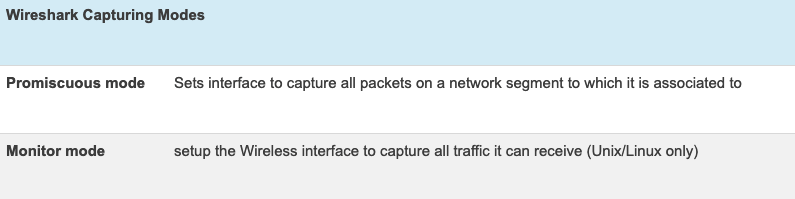
Filter Types
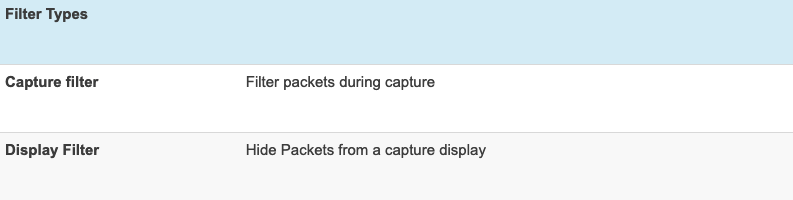
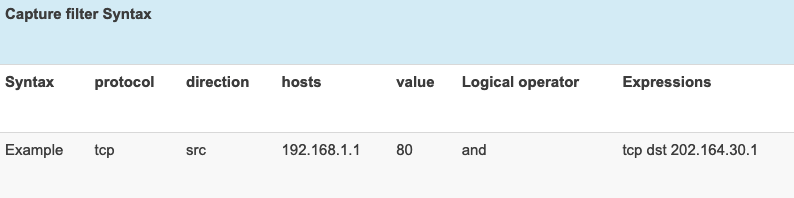
Capture Filter Syntax
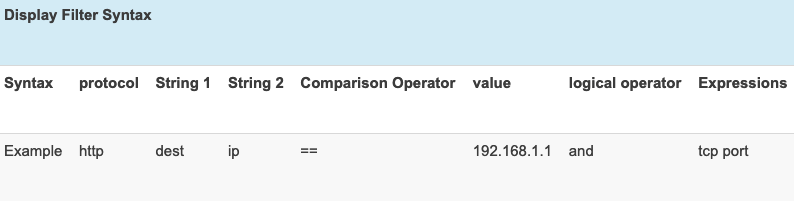
Display Filter Syntax
Protocols – Values

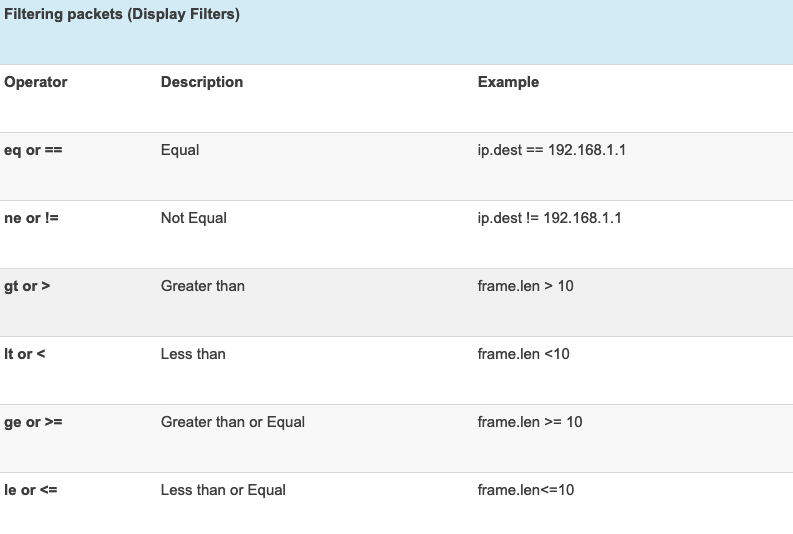
Filtering packets (Display Filters)
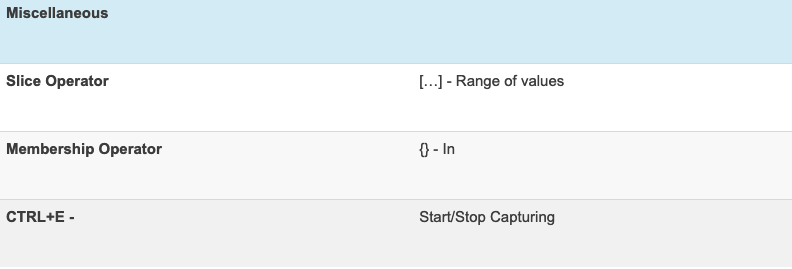
Miscellaneous Items
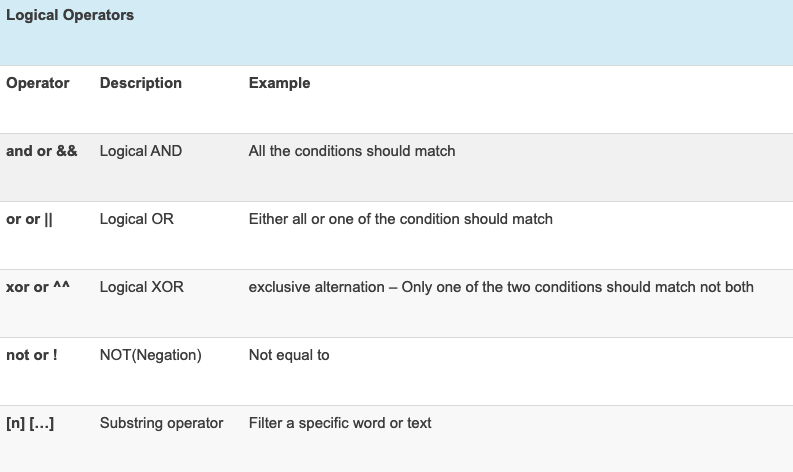
Logical Operators
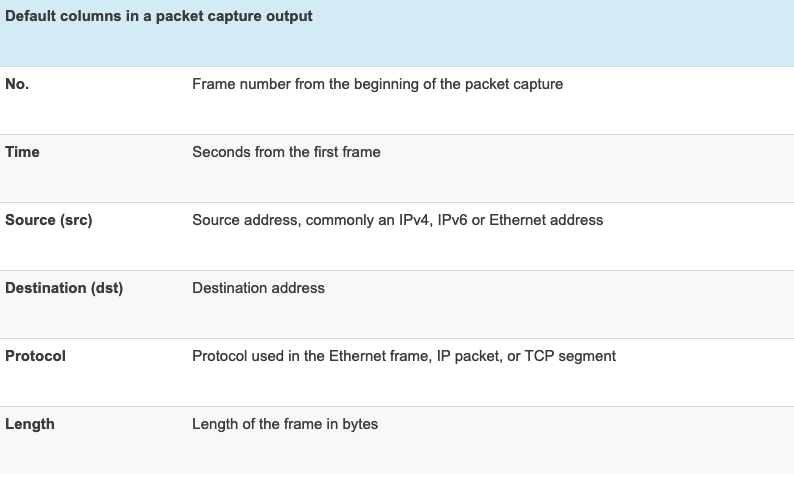
Default columns in a packet capture output
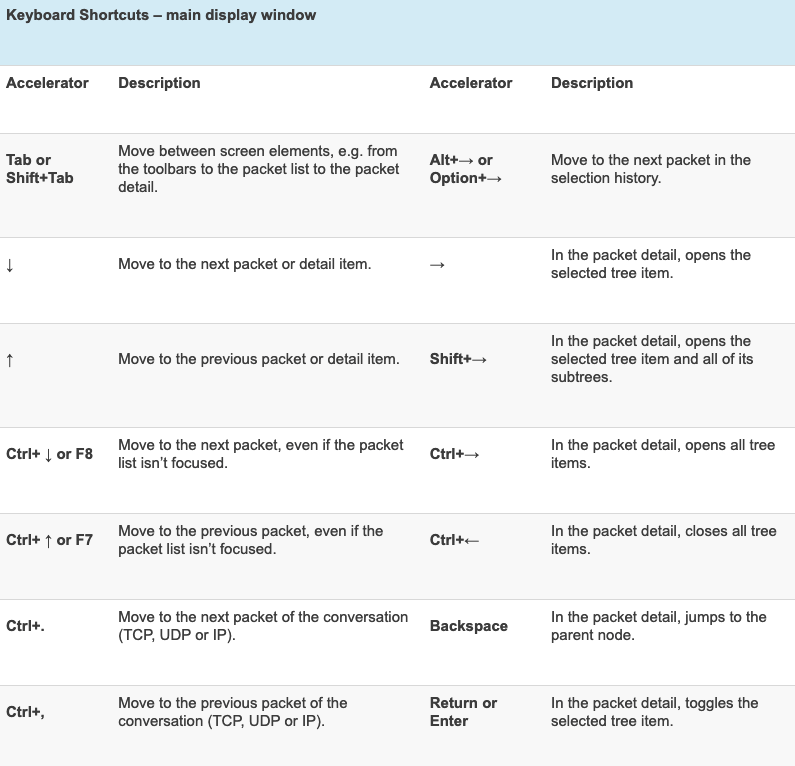
Keyboard Shortcuts
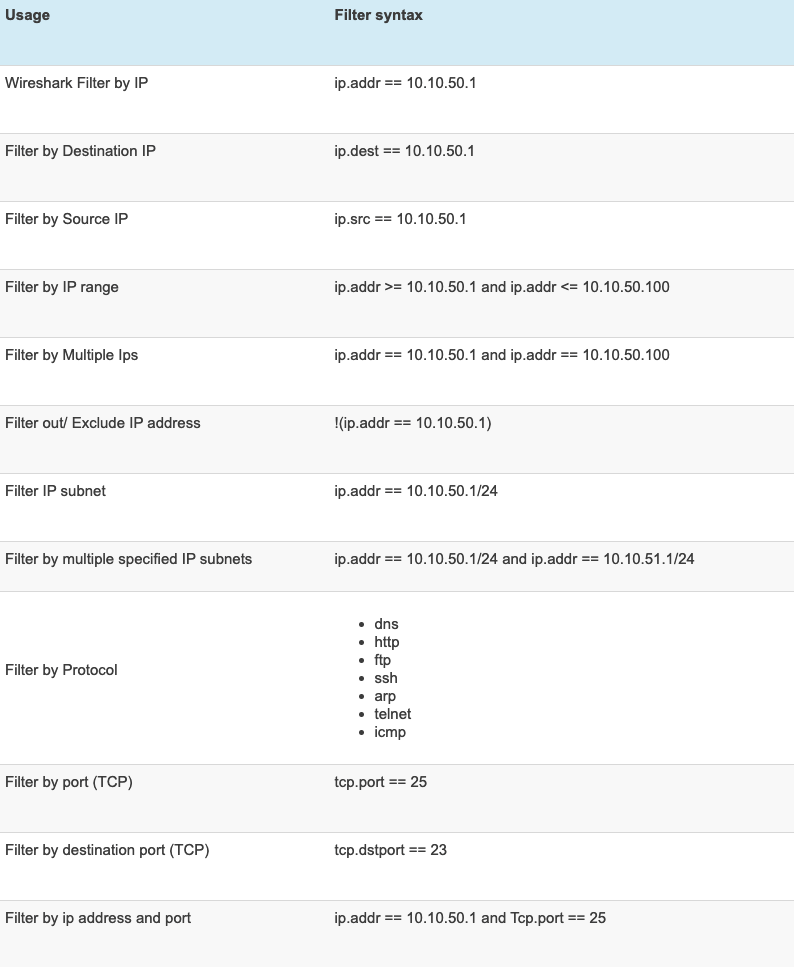
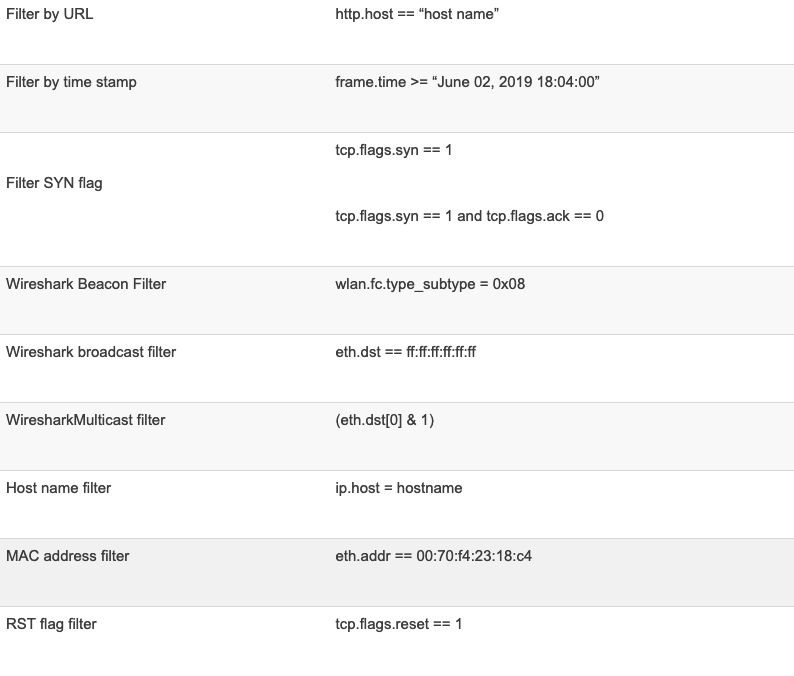
Common Filtering Commands
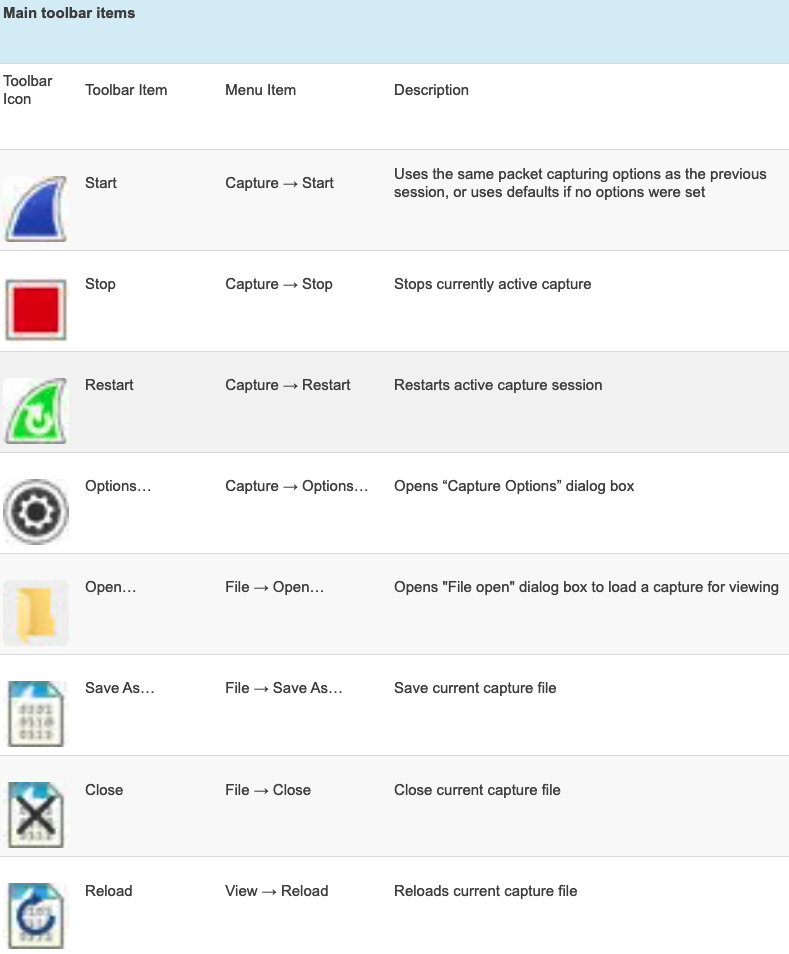
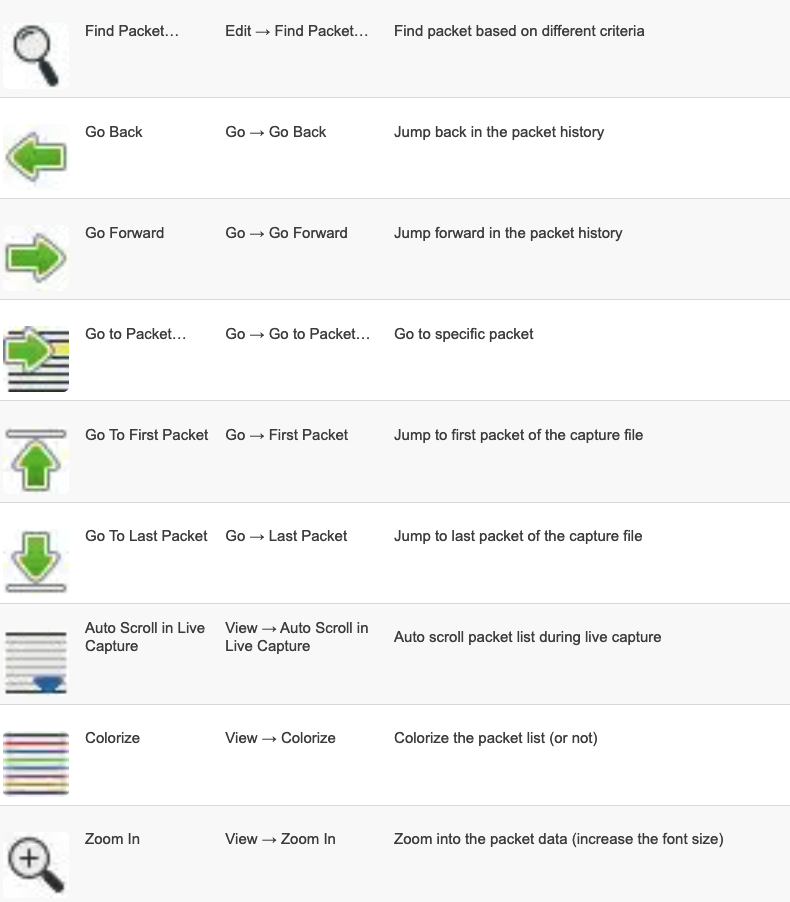
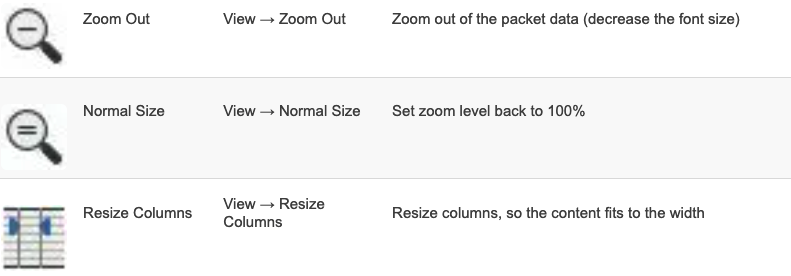
Main Toolbar Items

Special Filters
Filter for subnets
ip.addr == 192.168.1.0/24Slow HTTP
http.time > 1set of filters
In short, the filters are here:
ip.addr == 10.0.0.1
tcp or dns
tcp.port == 443
tcp.analysis.flags
!(arp or icmp or dns)
follow tcp stream
tcp contains facebook
http.response.code == 200
http.request
tcp.flags.syn == 1